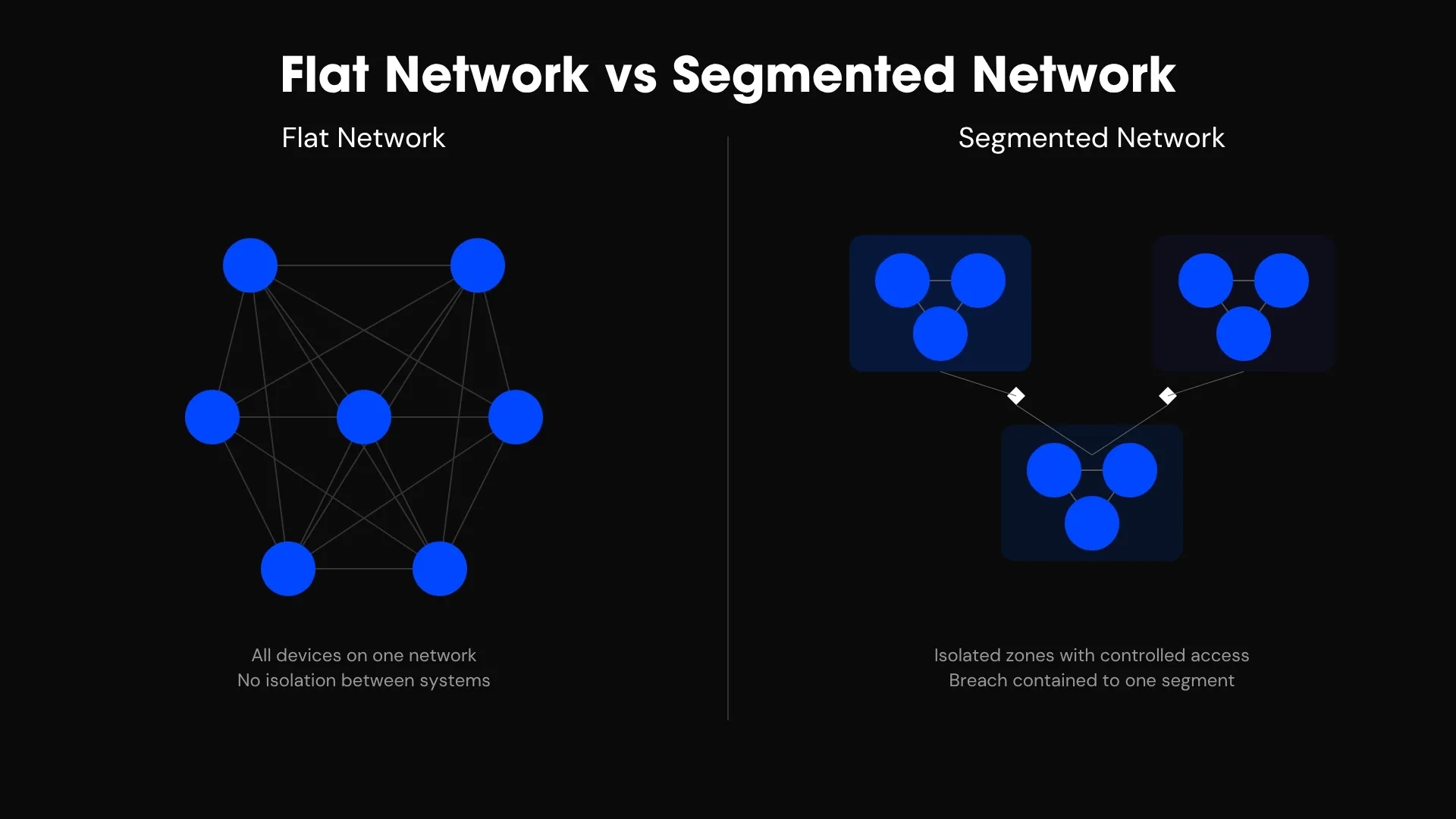
Most office networks have a quiet problem: everything is on the same network. The laptops, the printers, the smart TV in the boardroom, the visitor’s phone on guest Wi-Fi — all able to see each other. It works, right up until it doesn’t.
This post explains what network segmentation is, why it matters more than most businesses realise, and how we use it to keep devices — and entire companies — safely apart. If you’d rather see it in action first, we broke it all down in a real build: read the Suite 1202 case study →.
What is network segmentation?
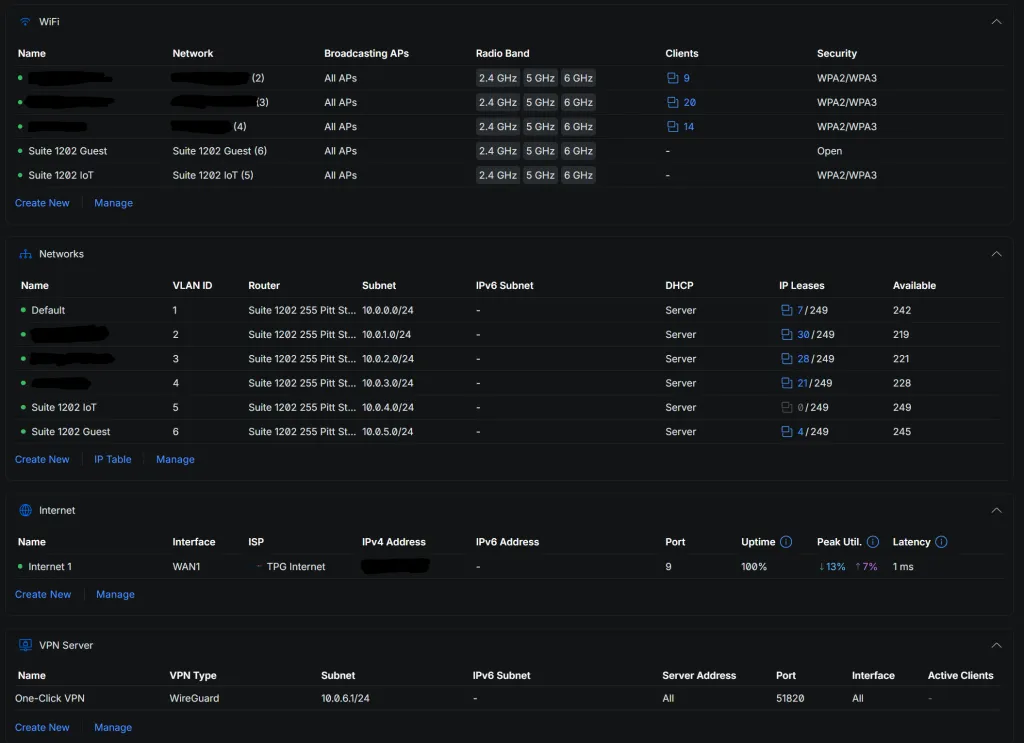
Network segmentation means splitting one physical network into several separate logical networks that can’t freely talk to each other. The most common way to do it is with VLANs — virtual LANs.
Think of your office network as a building. A flat network is one big open-plan room: everyone and everything shares the same space, and anyone inside can walk up to anything else. VLANs add internal walls and locked doors. Each group — a department, a device type, a tenant — gets its own room, and traffic only moves between rooms where you’ve deliberately put a door.
The devices don’t know the difference. A laptop still connects to WiFi exactly the same way. But underneath, it’s been placed in its own room, with no line of sight to rooms it has no business entering.
The real risk of a flat network
The problem with one open network isn’t day-to-day performance — it’s what happens when one device is compromised.
On a flat network, every device can reach every other device. So a single weak point — an unpatched printer, a dodgy smart plug, a visitor’s malware-infected phone on the guest WiFi — has a clear path to everything else, including your file server, your finance machine, your backups. Attackers rely on exactly this. Getting in is step one; moving sideways to something valuable is step two, and a flat network makes step two trivial.
Printers and IoT devices are the usual culprits. They’re rarely updated, often have weak default settings, and tend to be forgotten — which makes them the easiest foothold and the reason they should never share a network with your important data.
How we segment a multi-tenant office
We recently designed and built a network for three separate businesses sharing one Sydney office floor — a setup where segmentation isn’t optional, it’s the entire brief. It’s the clearest example of the principle, so we’ll use it here. (Full story and the outage we caused and fixed →.)
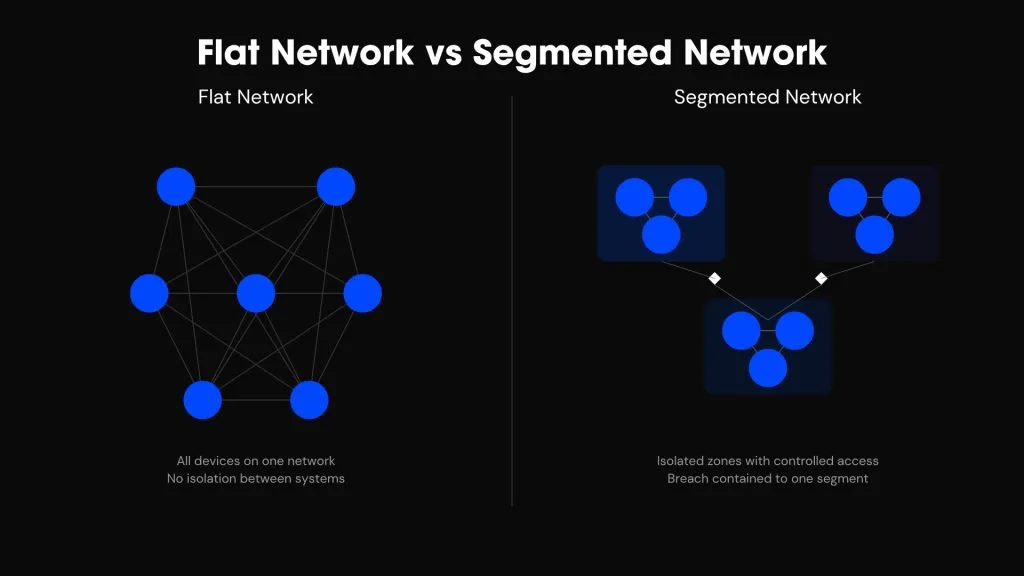
For that suite we ran six separate networks behind a single gateway:
A network per business
Each company got its own VLAN — its own switch ports, its own WiFi network, its own wired network. Plug a device into a desk and it lands on the right company’s network automatically. And each company’s printers sit on that company’s network, not floating somewhere every tenant can reach.
Separate networks for guests and IoT
Two networks are shared across the whole suite but fenced off from everyone’s data: an IoT network for smart devices and screens, and an open guest network for visitors. Both can reach the internet; neither can reach a tenant’s files. The two least-trusted device types are kept exactly where they can do no harm.
A management network for the infrastructure itself rounds it out — six isolated lanes, one gateway, one internet connection.
You don’t need three tenants for this to matter
Segmentation isn’t just a multi-tenant trick. Even a single business benefits from the same thinking: put guest Wi-Fi on its own network so visitors never touch your systems; isolate IoT and security cameras so a cheap device can’t become a back door; separate the finance or admin machines that hold your most sensitive data. The principle scales down to a ten-person office and up to a whole floor — the question is simply what shouldn’t be able to reach what, and then enforcing it at the network layer instead of hoping for the best.
See it built end-to-end | Multi-Tenant Office Network Build, Sydney – VLAN Isolation Case Study | Alphalogix
We documented an entire multi-tenant build — the design, the hardware, the Wi-Fi, and the fibre outage we caused, owned and fixed — in one case study.
Need this for your office?
If you’re fitting out an office, sharing a floor with other businesses, or just want your network locked down properly, segmentation is where it starts. That’s what we design and build.