
Last week, a client called us after being hacked. On the surface, it looked like a fairly standard phishing incident — one that plays out in small businesses across Australia every week. What we actually found was more sophisticated, and it included something we didn’t expect: a second, quieter problem hiding inside the client’s inbox, well after the initial infection had been cleaned up.
This is a real incident, walked through in full — what happened, why it happened, how we fixed it, and what we found when we went looking for why something still felt wrong afterwards.
The Attack: A Phishing Email Disguised as a Business Opportunity
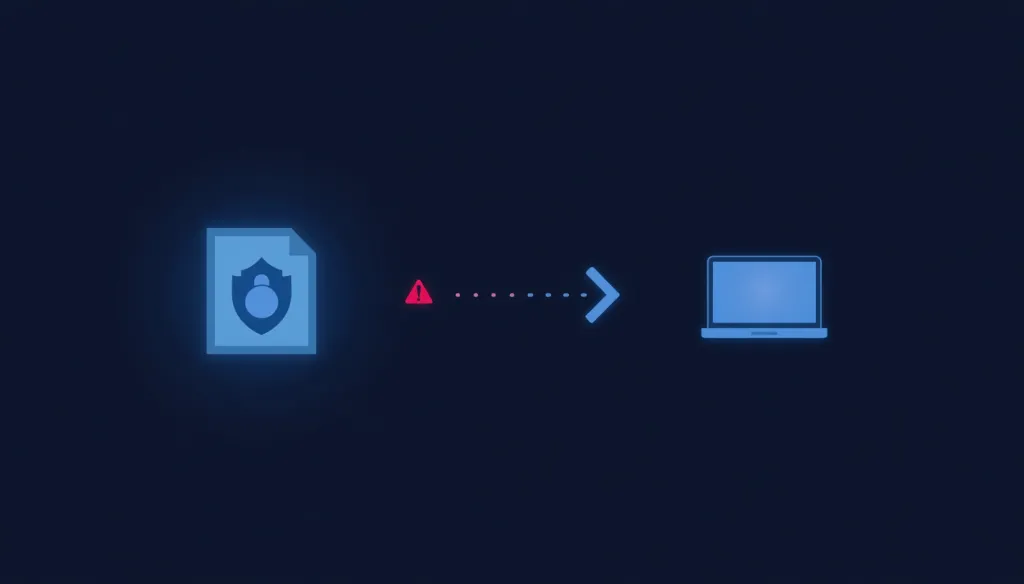
The attack began with an email designed to look like a legitimate business opportunity — styled to resemble a Request for Proposal (RFP), the kind of tender invitation a government body or council might send to a business. It arrived as both a PDF-style attachment and a OneNote file, and it was convincing enough that the user opened it without hesitation.
Clicking through to “view” the document triggered something else entirely. Rather than opening a normal file, the process kicked off a local installation on the device — with a destination URL that had no business being associated with a genuine tender document. This is a well-established phishing pattern: use a plausible, slightly formal business pretext to lower a user’s guard, then trigger a malicious install disguised as a routine document view.
How One Click Became Many: The Self-Propagating Spread
Once installed, the malware didn’t stay contained to a single machine. It accessed the infected user’s contact list and automatically sent the exact same phishing email — the same fake RFP, the same malicious attachment — to every contact on it.
That’s where this incident stopped being a single-user problem and became a multi-organisation one. Several of those contacts, at completely separate companies, received and opened the same email, triggering the identical infection on their own machines. From there, the cycle repeated — each newly infected machine harvesting its own contact list and sending the same attack onward again. What started as one click on one machine cascaded into a chain reaction spreading across multiple, unrelated businesses.
This is precisely why phishing incidents deserve a faster and more serious response than they often get. A single infected machine isn’t just a problem for the person who clicked — it’s a potential launch point targeting everyone in their address book, and everyone in those contacts’ address books after that.

The Real Root Cause: The Wrong Windows for the Job
Once the immediate infection was addressed, the underlying cause was straightforward: the affected machine had no antivirus or malware protection, no patch management, and no regular security scanning in place. It was a consumer-grade laptop, purchased from a general electronics retailer, running Windows 11 Home.
Windows 11 Home vs Windows 11 Pro for business use
This is an extremely common and completely understandable mistake. Small business owners are naturally cost-conscious, and a laptop from a mainstream retailer looks like a sensible, functional purchase — because for personal use, it genuinely is. The problem is that Windows 11 Home lacks the management and security capability a business environment actually needs. Without proper endpoint protection, patching enforcement, and centralised oversight, a Home edition machine offers essentially no defence against exactly this kind of attack.
Windows 11 Pro — combined with proper endpoint protection and a managed patching regime — closes that gap. If your business is currently running on Home edition machines purchased for convenience rather than deliberately configured for business use, this is worth addressing before an incident forces the issue.

Rebuilding Properly: Full Reinstall and Ongoing Monitoring
Given the extent of the infection, the only reliable path forward was a full Windows reinstall — wiping the machine back to a clean state rather than attempting to remove the malware piece by piece. Once rebuilt, the machine was enrolled with our NinjaOne remote monitoring and management agent before it went back into daily use.
NinjaOne gives us continuous visibility into the device — compute and memory usage, disk space, network adapter status, installed software, product keys and versions, current antivirus status, and a full activity log. Beyond monitoring, it’s how we enforce ongoing patch management across every device we support: software updates get pushed and tracked, browser policies get enforced for cloud and SaaS portals, and reboots required to complete critical patches get scheduled and enforced rather than left to chance.
This is the difference between a machine that’s simply been cleaned up once and a machine that’s actually being managed on an ongoing basis.
The Twist: A Hidden Rule Hiding the Client’s Emails
With the machine rebuilt and properly monitored, something still wasn’t right. For roughly half a day after the rebuild, the user reported not receiving emails at all — despite the machine running cleanly and every agent reporting normally.
Investigating the mail flow through Exchange showed emails were genuinely being sent and delivered — they simply weren’t appearing in the inbox. The emails were instead landing in the Conversation History folder, automatically marked as read, which meant the user had no visible indication that anything had arrived at all.
The cause turned out to be two mail rules that had been created on the account — not something the user had set up themselves. One rule redirected emails from a specific external sender domain into the Junk folder and marked them as read. The second, more concerning rule applied to every single incoming message regardless of sender: move to Conversation History, mark as read.
The effect of that second rule was quietly serious. Every email arriving in that inbox — including any security alerts, password reset notifications, or warnings that might have tipped the user off to something being wrong — was being silently hidden and marked as already seen. This is a deliberate persistence and evasion technique: by suppressing visibility of incoming mail, an attacker can reduce the chance of a victim noticing follow-up alerts, notifications from their own IT provider, or anything else that might prompt them to act.
Once identified, both rules were removed, and the affected emails were moved back from Conversation History into the inbox. Mail flow was tested and confirmed working normally after that.

What This Means for Your Business
A few practical takeaways worth acting on, regardless of the size of your business:
Validate senders before clicking anything. Even a well-designed, plausible-looking business email — an RFP, an invoice, a tender invitation — deserves a moment’s scrutiny before opening any attachment or link, particularly from a sender you don’t immediately recognise.
Business devices need business-grade operating systems. A consumer Windows Home machine is not equipped to protect a business, regardless of how capable the hardware is. If your team is working on Home edition devices, this is worth reviewing before it becomes a forced decision.
A clean reinstall isn’t the end of the response — it’s the start of ongoing management. Wiping and rebuilding a machine addresses the immediate infection. Proper endpoint monitoring, patch enforcement, and antivirus coverage are what prevent the next one.
After any suspected compromise, check for unexpected mail rules. This is a step that’s easy to miss entirely, and it’s exactly the kind of detail that can leave a business exposed even after the obvious infection has been dealt with. A brief audit of mailbox rules following any security incident is worth the ten minutes it takes.
See More. Respond Faster. Stay Secure.
If something about this sounds familiar — missing emails, a machine that’s been behaving oddly, or a suspicion that something isn’t quite right — we’re happy to take a look.
No obligation, no lock-in, honest advice.
Alphalogix is a Sydney-based managed IT and physical security company.
alphalogix.com.au