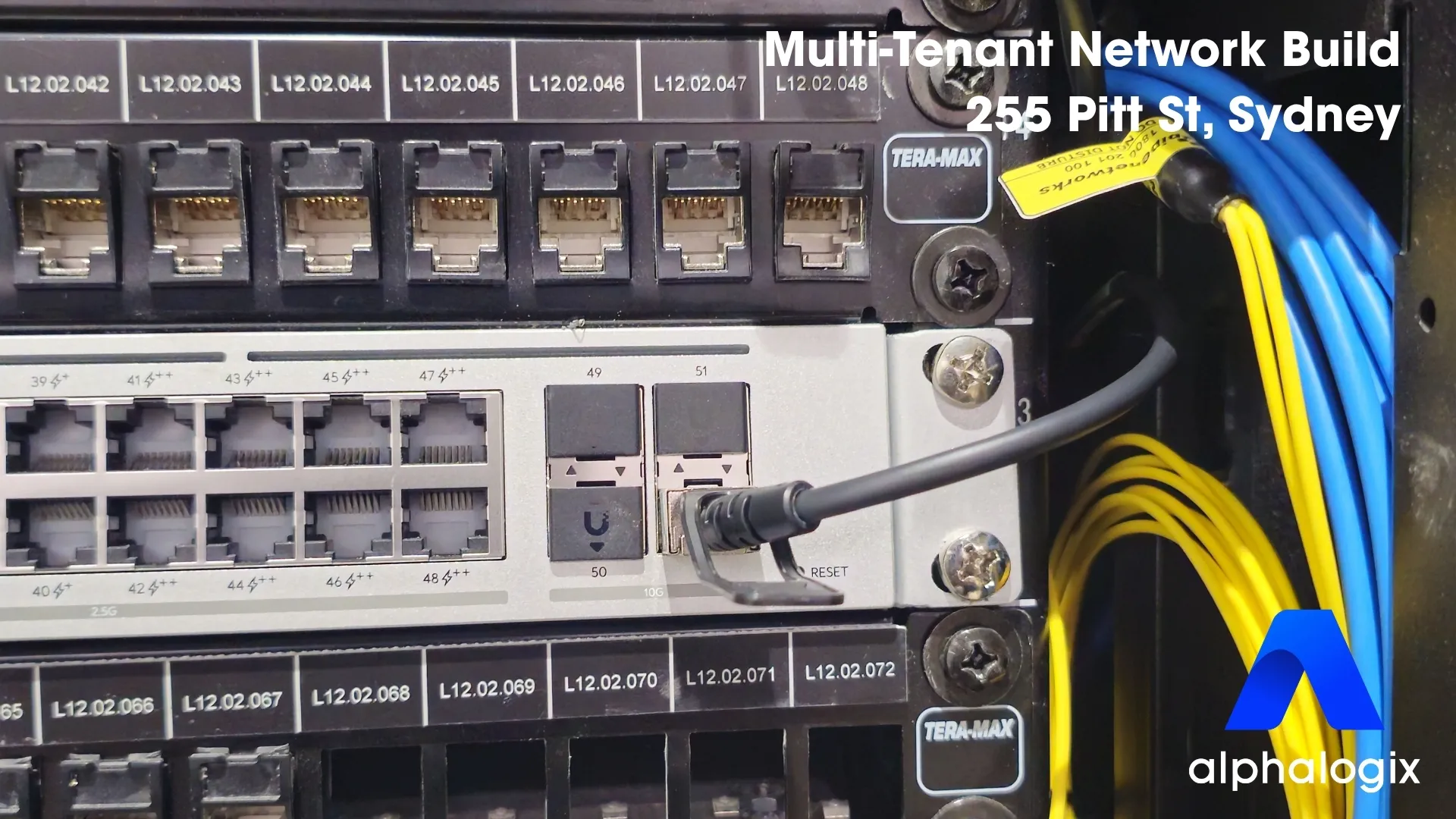
Three separate businesses. One office suite. One internet connection. And a single non-negotiable rule: none of them could see each other’s network.
This is the story of how we designed and built that network at Suite 1202, 255 Pitt Street in Sydney — and the part most case studies leave out: the moment we damaged the fibre during installation and took every tenant offline at once. Here’s what we built, what went wrong, and what we changed because of it.
Project snapshot
- Client: Three independent firms — a legal practice and two financial-services businesses — sharing one floor.
- Location: Suite 1202, Level 12, 255 Pitt Street, Sydney.
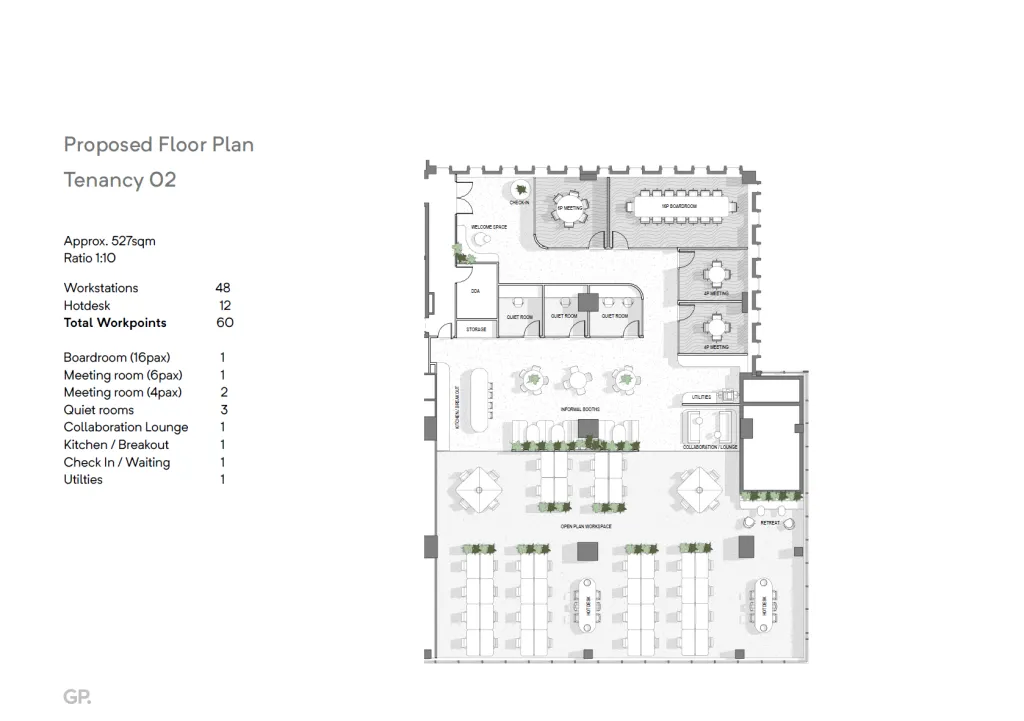
- Space: ~527 sqm · 60 workpoints (48 workstations + 12 hot desks).
- Scope (Phase 1): Complete multi-tenant network — design, cabling, switching, WiFi, meeting-room AV.
- Core requirement: Full network isolation between the three tenants, on a single fibre connection.
- Outcome: Three fully isolated networks delivered; client re-engaged us for Phase 2 physical security.
The challenge
The suite is a single floor leased and subdivided by three independent companies, with around 60 staff sharing the same physical space — a shared reception, a 16-person boardroom, smaller meeting rooms, quiet rooms and a kitchen. But in every way that matters for security and compliance, they are three separate organisations.
That created a hard requirement. Each business had to operate as if the others weren’t there: separate Wi-Fi, separate wired networks, separate everything. A device in one company should have no path to another company’s files, printers or traffic. For a law firm sharing a floor with two broking businesses, that isolation isn’t a nice-to-have — it’s a professional obligation.
The constraint that shaped the whole design: all of it had to run on a single fibre connection — one uplink into the building, serving three businesses that each needed to feel like they had their own dedicated network.
The design
The answer was network segmentation done properly — not one flat network with a few rules bolted on, but genuinely isolated VLANs, each unable to see into the others.
Everything starts at the single fibre line into a UniFi gateway and firewall, then into a stacked switch core built from two 48-port PoE switches. From there, the suite is divided into six separate networks: three tenant networks (one per company), a suite-wide IoT network, an open guest network, and an isolated management network for the infrastructure itself.
Network segmentation, done properly
The common shortcut is one network for everyone with a guest Wi-Fi bolted on — which feels segmented but isn’t. On a flat network, any compromised or curious device can reach every other device on it. For a single business that’s a manageable risk. For three businesses — one of them a law firm — sharing the same switches, it’s a breach waiting to happen. True VLAN isolation enforces the separation at the network layer, not by assumption.
Two decisions are worth calling out, because they’re where multi-tenant builds usually go wrong. First, every switch port carries its tenant’s network — plug a device into a port and it lands on the correct company’s VLAN automatically, so there’s no way to bridge two tenants by patching the wrong cable. Second, printers live with their company, not on a shared free-for-all — a printer is one of the easiest devices to compromise, so each company’s printers sit on that company’s own VLAN.
Wi-Fi that mirrors the wired network
Rather than one suite-wide wireless network, each company has its own SSID mapped directly to its VLAN. A staff member joining their company’s Wi-Fi lands on their company’s network and nowhere else — the wireless experience mirrors the wired one. The guest and IoT SSIDs are pinned to their own isolated networks. From a user’s point of view it’s just “connect to your office Wi-Fi”; underneath, every connection is sorted into the right lane the moment it joins.
The single-fibre trade-off
One uplink keeps cost and complexity down and was the right baseline for the brief — but it concentrates risk. Everything we built sits behind that one line, which made it the obvious thing to protect and, as it turned out, the thing that bit us.
The build
With the design locked, the build came together over three days. The switch core went in first — two stacked 48-port PoE switches, terminated into labelled patch panels so every run is traceable at a glance. On a multi-tenant site, disciplined labelling is what stops a future change accidentally dropping one company’s device onto another’s network.
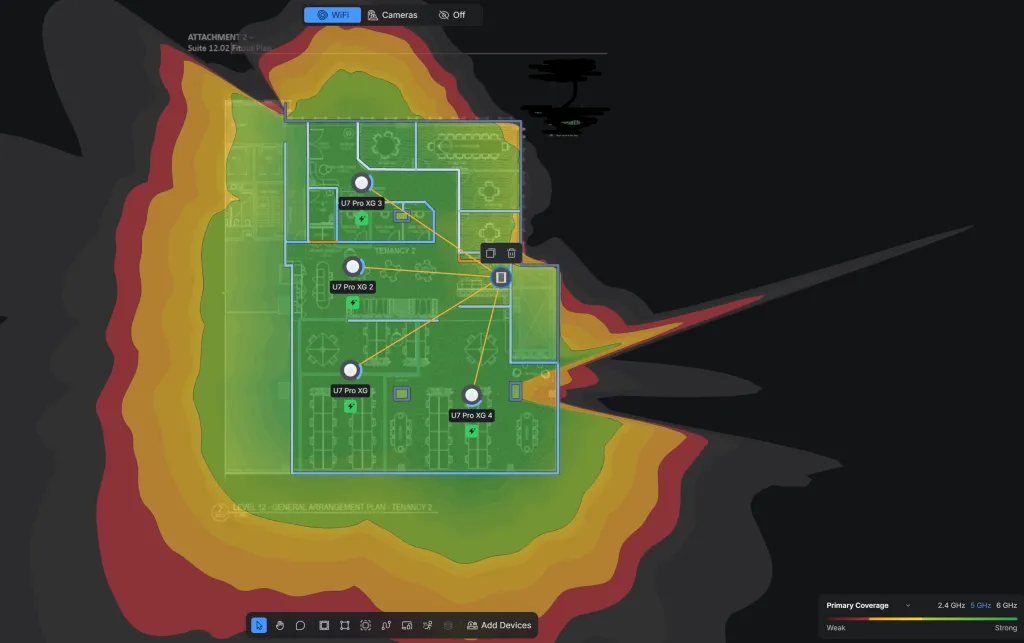
Then the access points — four units placed for full, overlapping coverage across the open-plan workspace, the boardroom, the smaller meeting rooms and the quiet rooms, so staff stay on a strong signal as they move through the suite. A UPS went into the rack for power resilience, and each of the four meeting spaces — the 16-person boardroom, a 6-person room and two 4-person rooms — was fitted with a Yealink board, ready for video calls from day one.
It’s the kind of clean, methodical install that runs quietly for years. And it was going exactly to plan — until it wasn’t.
The failure — when we took everyone offline
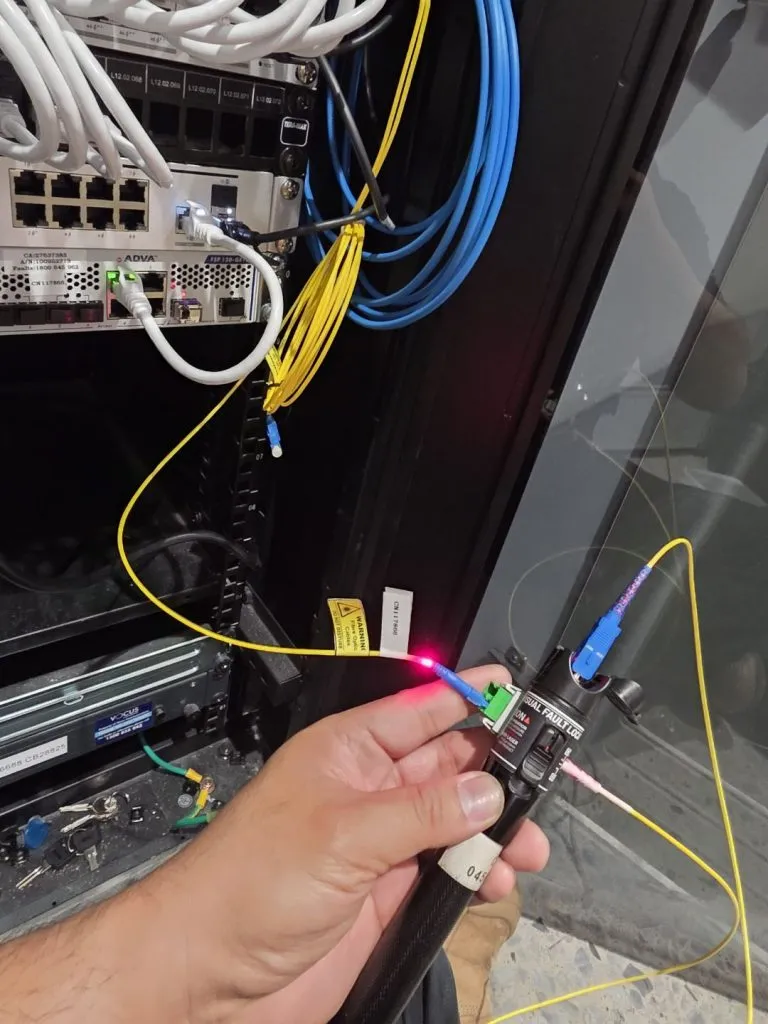
During installation, the fibre cable was bent and damaged.
The internet went down. Not for one company — for all three, at the same time. Around 60 people, across three businesses, suddenly offline. On a network specifically designed so the tenants were independent, the one thing they still shared — that single fibre uplink — had just become the single point of failure that took everyone down together.
There’s no comfortable way to write that sentence, and there wasn’t a comfortable way to live it either. But what happened next is the part that actually matters.
The response
We called the client immediately — before they came looking for us. Owning it early and plainly, with no hedging, is the difference between a client who loses trust and one who watches how you handle pressure.
From there it was a coordinated, multi-day effort with TPG and the building’s facilities team — and we kept the tenants informed at every step:
- Thursday 18 June, afternoon — the fault occurred during install. We notified the client and escalated to TPG immediately. A TPG technician was on site by late afternoon, confirmed the fibre was damaged, and replaced the SFP module.
- Friday 19 June, all day — a second TPG technician spliced the fibre connection at the building riser, with the facilities manager providing access to the comms riser.
- Monday 22 June, 8:30am — TPG completed the repair with a final module replacement, and full service was restored before the business week began. With the building closed over the weekend, the final fix was scheduled for first thing Monday.
It wasn’t a ten-minute fix, and we won’t pretend it was — restoring a damaged fibre meant a splice and several carrier visits across a few days. What we controlled — the speed and honesty of our response, and keeping three businesses informed the whole way through — we controlled completely.
What we changed
Three concrete changes came out of this build, and they’re now standard on every job we do.
- Fibre protection sleeves on every run near the patch panels. The exact point where the cable was vulnerable is now physically protected by default.
- A redundancy conversation with every client before sign-off. If a single line going down is a problem for the business, we raise it up front — not after. A second uplink or a 4G/5G failover would have turned a multi-day outage into a few minutes — exactly the kind of trade-off worth deciding before the install, not during one.
- A documented incident-response flow. Who we call, in what order, and what we communicate — written down, so the response to any future fault is fast and consistent.
A client who only ever sees a flawless job learns that you’re lucky. A client who sees how you handle the job that goes wrong learns whether they can actually rely on you.
The result
The finished build does exactly what it was designed to do: three companies, sharing one office, completely isolated from one another — their own Wi-Fi, their own wired networks, their own printers — all running on one tidy stack behind a single gateway. One network underneath all of it, and one team accountable for the whole thing, including the part that went wrong.
That accountability is why the client came back — which brings us to Phase 2.
Phase 2 — Physical Security
After the network build, the same client engaged us again — this time for physical security: door access control across both entries and internal cameras throughout the suite. When a client trusts you with their network and then hands you the keys to their doors, that’s the relationship that outlasts any single project.

Need multi-tenant network design in Sydney?
If you’re fitting out a shared office space, or you need genuine network isolation for multiple businesses under one roof, that’s exactly what we design and build.